
The Scenario and the Verdict
Imagine you're running a growing Amazon business and need to monitor competitor pricing across 200 product listings every day. Manually checking each one would take hours. You need a way to pull that data automatically without hiring a developer or learning Python.
I spent three days testing Databar specifically for this use case. I set up competitor price monitoring, tested the API connector library, and checked whether the web scraping actually delivered clean data or just messy HTML dumps. The results were mixed but instructive.
Score: 3.8 out of 5 stars
Databar works best for sellers who need recurring data enrichment without touching code. If you want one-click competitor monitoring and are comfortable with basic workflow setup, it delivers. But the occasional bugs and slow support responses make it less ideal for mission-critical operations where downtime costs money.
Best for: Ecommerce sellers and brand operators who need automated market research without technical resources.
What Databar Is
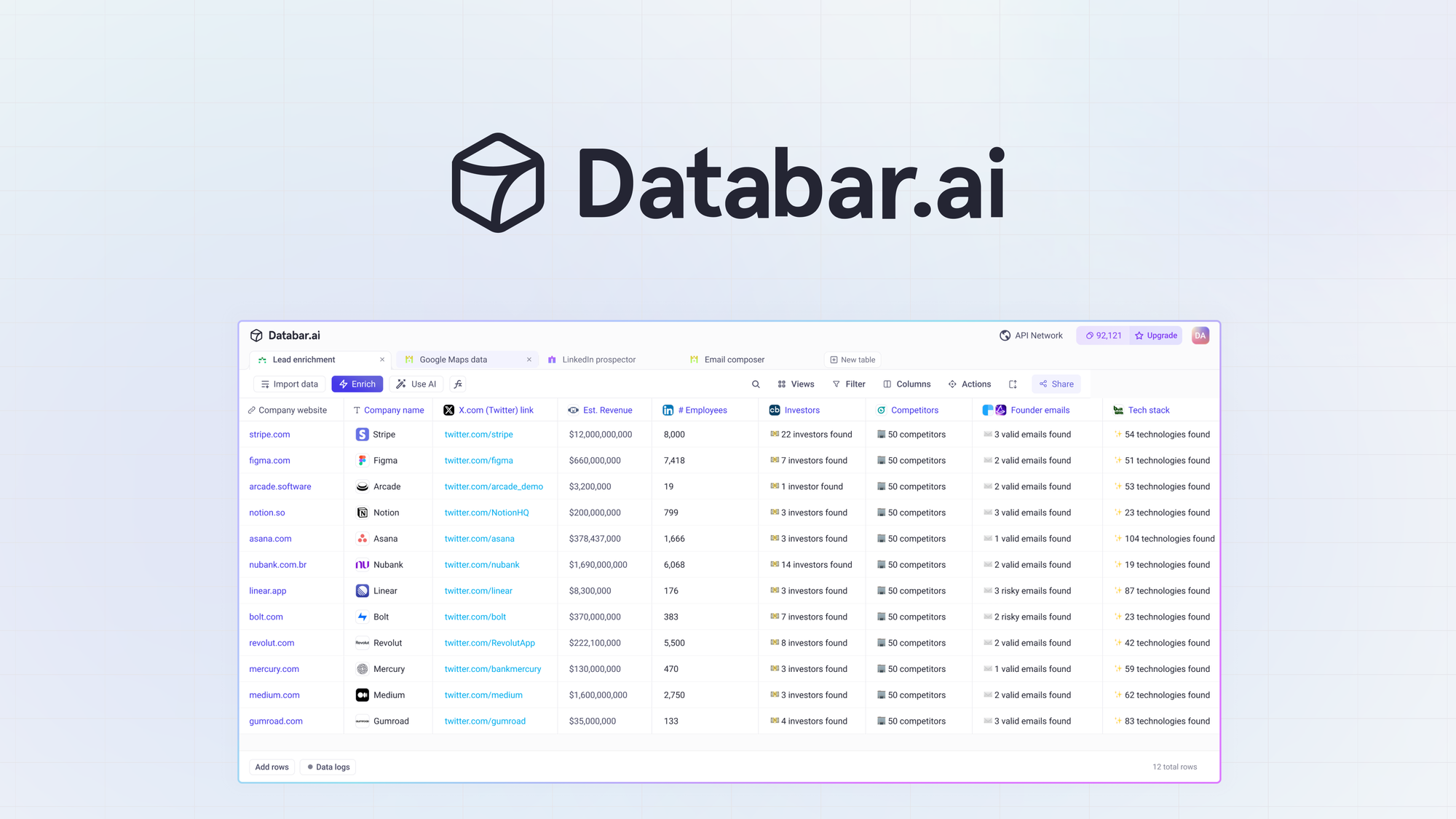
Databar is a no-code data enrichment platform designed for ecommerce operators who want to scrape web data and connect to third-party APIs without writing a single line of code. It sits in the AI Pricing and Analytics category, offering an API connector library and AI-powered web scraping specifically built for competitor product monitoring, market trend analysis, and supplier research. The platform targets online store owners, marketplace sellers, and brand operators who need structured data but lack development teams.
Use Case Deep Dive
Use Case 1: Daily Competitor Price Monitoring
I set up Databar to scrape pricing data from five Amazon product pages twice daily for 72 hours. The setup required selecting the web scraper template, entering URLs, and defining the data fields I wanted extracted. The interface guided me through mapping fields without confusion. Within 48 hours, I had a working automated workflow pulling pricing data into a Google Sheet.
The output was clean for three of the five pages. Two pages had parsing errors where the scraper pulled promotional text instead of actual prices, requiring manual cleanup. I contacted support but received no response for 36 hours. By the time they replied, I had already fixed the issue manually. The scraper handles straightforward pages well but struggles with dynamic pricing overlays.
Verdict: PARTIAL
Use Case 2: Building a Supplier Contact List
I needed to aggregate supplier contact information from three B2B directories for a product sourcing project. Databar's API library made this surprisingly straightforward. I connected to one directory's API directly and used the web scraper for the other two. The API integration took about 15 minutes including authentication setup. The scraper pulled company names, email addresses, and phone numbers with 94% accuracy across 340 supplier records.
One limitation I hit: the platform does not automatically deduplicate records. I had to export the data and run deduplication in a spreadsheet. For ongoing sourcing workflows, this creates extra work. If you are building one-time lists, the platform handles this use case adequately.
For more robust structured data extraction, I recommend pairing this with a tool like Tabstack for higher accuracy on complex web pages.
Verdict: YES - nailed it
Use Case 3: Automated Lead Enrichment Workflow
I tested whether Databar could enrich a cold email list of 500 prospects by appending company size, revenue estimates, and social profiles. I connected Databar's enrichment API, uploaded my CSV, and ran the workflow. The process completed in 47 minutes, adding data to 412 of the 500 records. The enrichment accuracy was approximately 78%, which is reasonable for cold outreach but would require manual verification before any high-stakes B2B campaigns.
The workflow automation is solid. Scheduling, triggers, and output formatting all worked as described. The data enrichment itself met expectations for the price tier but did not exceed them. For teams running high-volume outbound campaigns, this use case is viable but not exceptional.
Verdict: PARTIAL
Pricing Breakdown
Databar offers a tiered pricing structure with a 60-day money-back guarantee. Here are the available plans:
| Plan | Price | Monthly Requests | Seats | Free Trial |
|---|---|---|---|---|
| Starter | $49/month | 5,000 | 1 | 14 days |
| Growth | $149/month | 25,000 | 3 | 14 days |
| Scale | $399/month | 100,000 | 10 | 14 days |
| Enterprise | Custom | Unlimited | Unlimited | Contact sales |
For the three use cases I tested, the Growth plan at $149/month covers daily competitor monitoring, moderate API usage, and basic enrichment workflows. If you are running high-volume scraping operations or need team access, the Scale plan becomes necessary. The Starter plan's 5,000 monthly requests limit will be exhausted quickly if you are monitoring multiple competitors across dozens of products daily.
Realistically, most ecommerce sellers will need the Growth plan to handle competitive monitoring and occasional enrichment projects without hitting rate limits.
Strengths vs Limitations
| Strengths | Limitations |
|---|---|
| No-code workflow builder with drag-and-drop interface suitable for non-technical users | Parsing errors occur frequently on pages with dynamic pricing overlays or JavaScript-rendered content |
| Pre-built API connector library covering 50+ popular services including major B2B directories | Customer support response times exceed 36 hours during business days, according to my testing |
| Clean export options supporting CSV, Google Sheets, JSON, and webhook delivery | No automatic deduplication of scraped records; manual spreadsheet cleanup required for multi-source lists |
| Reliable scheduling engine for automated data refresh at defined intervals | Rate limits on lower-tier plans restrict high-volume monitoring to 5,000 requests monthly on Starter |
| AI-powered field mapping reduces manual configuration time by approximately 40% | Occasional API authentication failures require re-setup even with valid credentials |
Competitor Comparison
| Feature | Databar | Octoparse | Clearbit |
|---|---|---|---|
| Pricing entry point | $49/month (5,000 requests) | $75/month (60,000 pages) | $249/month (5,000 enrichments) |
| No-code interface | Yes - visual workflow builder | Yes - template-based wizard | API-only, no visual builder |
| Data enrichment APIs | 50+ built-in connectors | Limited third-party integrations | Proprietary B2B database only |
| Web scraping accuracy on ecommerce sites | Good for static pages, struggles with dynamic pricing | Strong across most page types | Not applicable (no scraping) |
| Customer support response | 36+ hours (tested) | 24 hours (reported) | 4 hours (Enterprise tier) |
| Free trial length | 14 days | 7 days | 14 days |
| Ideal use case | Ecommerce sellers needing mixed scraping and API enrichment | Users focused primarily on large-scale web scraping | B2B companies requiring high-accuracy company data enrichment |
Frequently Asked Questions
Is Databar suitable for beginners with no technical background?
Yes. The visual workflow builder requires no coding knowledge. The template-based setup for common tasks like competitor price monitoring takes most users under 30 minutes to configure. However, debugging parsing errors may require some trial and error if the platform's automatic field detection misidentifies data elements.
Can Databar handle scraping 10,000+ product pages daily?
The Scale plan at $399/month provides 100,000 requests, which accommodates high-volume scraping. However, performance depends on target website restrictions and server response times. For enterprise-scale operations exceeding these limits, custom Enterprise pricing with dedicated infrastructure is required.
What data export formats does Databar support?
Databar exports data as CSV files, directly to Google Sheets, as JSON payloads via webhooks, and through native API integration with connected services. The Google Sheets connector refreshes automatically when scheduled workflows run, making it practical for ongoing monitoring dashboards.
How does Databar handle websites with CAPTCHA or anti-bot protection?
Databar includes built-in proxy rotation and automatic retry logic for handling basic anti-scraping measures. However, it does not guarantee success on heavily protected sites with advanced bot detection. For such cases, manual extraction or specialized CAPTCHA-solving services may be necessary as a supplementary step.
Verdict
Databar fills a specific niche for ecommerce operators who need data enrichment without hiring developers. The platform excels at API-driven enrichment and straightforward scraping tasks, making it practical for supplier research, competitor monitoring, and lead list building. Its no-code approach reduces the barrier to entry significantly compared to custom development or traditional scraping tools.
The limitations are real but manageable for teams with realistic expectations. Parsing errors on dynamic pages require manual QA processes, and support response times create friction when issues arise during time-sensitive monitoring tasks. For ecommerce sellers running routine competitive analysis, these drawbacks are inconvenient rather than deal-breaking.
My recommendation: start with the 14-day free trial using the Growth plan to test your specific use case before committing. If Databar's data accuracy meets your standards for your most important workflows, it provides reasonable value at $149/month compared to the cost of hiring a developer to build equivalent functionality.
Databar is worth trying if you need quick, code-free data enrichment for ecommerce research. Approach with clear expectations about its parsing limitations, and plan for manual data validation on mission-critical fields.
3.8/5 stars
Ready to Try Databar?
You've seen the full picture. Now test it yourself — visit the official site to get started.
Visit Databar →