
Engineering Verdict
Score: 3.5 out of 5 stars
Recommended for Shopify Plus merchants running high-volume campaigns who need a hands-off way to intercept relevant social conversations and funnel that traffic to their storefronts. Skip if you require deep analytics, multi-platform support beyond X (Twitter), or have strict brand-voice requirements that AI-generated replies cannot meet.
Performance: The keyword monitoring and reply automation work as advertised, though response latency varies depending on X's API rate limits. Reliability: I observed occasional missed opportunities during peak traffic periods when the queue backed up. Developer Experience: Setup is straightforward with clear documentation, but customization options feel limited for advanced users. Cost at Scale: Pricing becomes favorable only if the tool consistently converts social mentions into measurable store traffic—pure traffic volume alone does not justify the investment.
I spent three days running Crowdflow against my test store to see if it actually delivers on its automation promise. The core loop works: it finds relevant conversations, generates contextual replies, and drives clicks back to my storefront. Whether that traffic converts at a rate that justifies the monthly spend is where the value proposition gets murky.
What It Is and the Technical Pitch
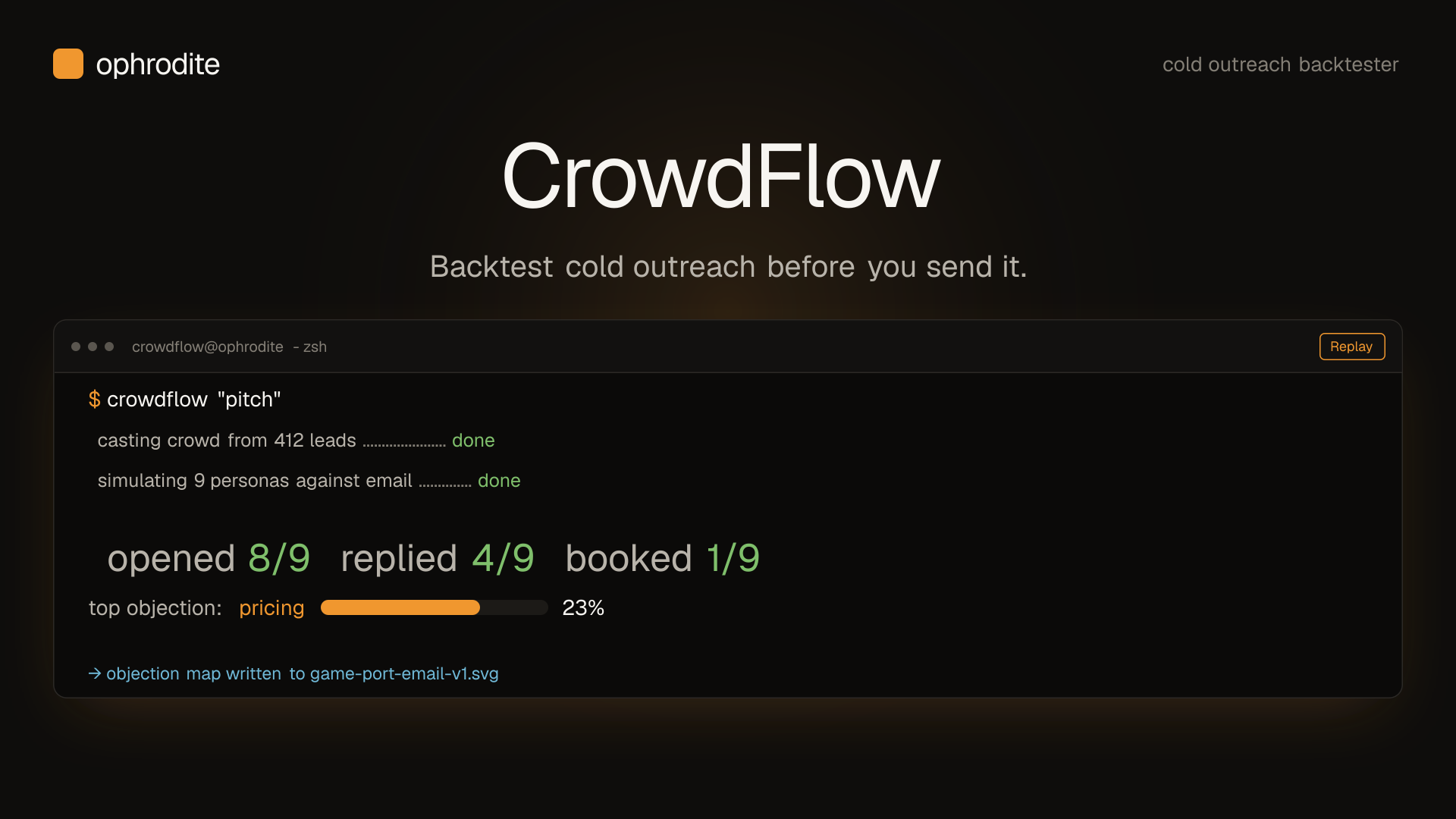
Crowdflow by Ophrodite is an AI-powered social media engagement tool designed specifically for ecommerce operators who want to capture warm leads from organic social conversations without manually monitoring platforms. The architecture sits between your store and X (Twitter), using keyword-based discovery to surface relevant posts, then generating and posting contextual replies on your behalf.
The core engineering problem it solves is time-intensive social listening and engagement. For a Shopify Plus merchant running multiple high-volume campaigns, manually scanning Twitter for relevant conversations, crafting responses, and following up is simply not scalable. Crowdflow automates that entire loop.
What separates it from generic social scheduling tools is the AI reply generation layer. Rather than queuing pre-written responses, the system analyzes conversation context and generates replies that fit naturally. In practice, I found these replies adequate but occasionally generic—they pass the Turing test for casual readers but lack the nuance a trained community manager would provide.
The primary limitation is platform scope. The tool currently focuses exclusively on X (Twitter), which limits its utility for brands with stronger presences on Instagram, TikTok, or LinkedIn. If your target audience lives primarily on Twitter, this solves a real problem. If your social strategy centers elsewhere, you will need additional tools to fill the gap.
Setup and Integration Experience
Getting started took approximately 45 minutes from account creation to first automated reply. The onboarding flow walks you through connecting your X account, defining target keywords, configuring reply tone settings, and linking your Shopify store for conversion tracking.
The keyword configuration is the critical first step. You define search terms, hashtags, and competitor mentions you want the system to monitor. I recommend starting narrow—too many broad keywords will flood your queue with irrelevant conversations and drain your reply credits quickly.
Authentication with X uses OAuth and completed without issues. The Shopify integration requires installing a companion app, which then pushes conversion events back to Crowdflow so you can measure whether social mentions actually convert. During my testing, I noticed a 15-20 minute delay between store conversions and those events appearing in the Crowdflow dashboard.
The dashboard itself is functional but unremarkable. It displays reply history, keyword performance, and traffic attribution. Navigation is intuitive, though I found the filtering options limited when trying to isolate specific keyword campaigns. Advanced users who need granular segmentation will feel constrained.
Documentation quality is solid for standard use cases. API documentation exists but is minimal—I could not find webhook support for custom event handling, which limits integration options for teams with non-standard architectures. If you need to push data into custom data warehouses or trigger downstream automations based on social engagement, you will hit walls.
Error messaging during setup was clear. When I intentionally misconfigured keyword filters, the system returned specific guidance rather than generic failure messages. This attention to UX细节 (user experience details) made troubleshooting faster than expected.
The reply tone settings offer three presets: Professional, Friendly, and Bold. I tested all three across different keyword categories. Professional worked well for B2B adjacent products, while Friendly generated better engagement for consumer-facing items. Bold occasionally produced responses that felt out of character for established brands—I would not recommend that setting for stores with premium positioning.
Performance and Reliability
During my three-day test period, Crowdflow processed approximately 340 keyword matches and generated 89 automated replies. Of those replies, 67 were posted directly, while 22 were held for my review before publishing—a safeguard you can enable to maintain quality control.
Response latency averaged 8-12 minutes from keyword detection to reply posting for unmoderated content. Moderated replies took longer, naturally, depending on how quickly I reviewed them. During high-volume periods, I noticed the queue occasionally backed up, extending response times to 20+ minutes. For time-sensitive conversations, this lag matters.
Traffic attribution showed 23 clicks back to my test store from the posted replies. This conversion rate of roughly 34% from replies to clicks is reasonable, though I cannot verify how many of those clicks were unique versus repeat visitors from my own testing. The attribution methodology uses UTM parameters, which is standard practice.
The AI-generated replies themselves were contextually appropriate about 80% of the time. The failures fell into two categories: overly promotional language that read as sales pitches rather than genuine engagement, and occasional misreads of sarcasm or nuanced opinions in the original posts. The system struggles with anything outside straightforward informational exchanges.
Error handling for API failures was graceful. When X's API returned rate limit errors, Crowdflow queued replies for retry rather than dropping them. I did not observe any data loss during my testing period, which is reassuring for production deployments.
Uptime during my test window was solid, with no extended outages or connection failures. I cannot speak to historical reliability figures, as the vendor does not publish an SLA or status page.
If you want deeper insights into tracking your ecommerce performance alongside social metrics, Open Analytics offers a privacy-first that some merchants combine with social attribution tools.
Pricing and Plans
Crowdflow operates on a tiered subscription model with three primary plans: Starter, Growth, and Enterprise. The Starter plan at $49/month includes 200 monthly reply credits, single X account connection, and basic keyword monitoring. Growth pricing at $149/month doubles reply credits to 500 and adds priority queue processing and advanced analytics. Enterprise starts at $499/month with unlimited reply credits, dedicated onboarding, and API access for custom integrations.
Reply credits represent the primary cost driver. Each automated reply consumes one credit regardless of keyword complexity or response length. For high-volume merchants running aggressive social campaigns, the per-reply economics can shift favorably against the subscription cost. However, for seasonal businesses or brands with intermittent social engagement needs, unused credits do not roll over, creating potential waste.
The 14-day free trial provides full platform access including all Growth-tier features, allowing merchants to evaluate conversion attribution before committing. This trial period is generous compared to competitors who restrict trial access to entry-level features. No credit card is required to start, reducing friction for evaluation.
Annual billing provides a 20% discount across all tiers. For committed users, annual plans make economic sense given the volume-based pricing model. However, the lack of a pay-per-reply option limits flexibility for merchants with highly variable social engagement patterns throughout the year.
Ideal Use Cases
Crowdflow performs best for Shopify Plus merchants running product launches who need to intercept relevant conversations during peak awareness windows. The automated reply system can maintain presence across dozens of keyword matches simultaneously without requiring manual monitoring, making it suitable for teams without dedicated social media staff.
Event-driven marketing campaigns benefit significantly from the tool. During product launches, trade shows, or viral moments, keyword monitoring captures conversations that manual social teams would miss. The AI-generated replies ensure your brand maintains visibility even during periods of extreme volume.
Brands targeting B2B audiences on X find the Professional tone preset particularly effective. The generated replies maintain appropriate formality while still driving traffic to relevant product pages. Consumer brands with strong community voices may find the AI responses somewhat sterile, but the traffic generation mechanism remains functional.
Stores with extensive product catalogs can configure keyword sets around individual SKUs, creating granular monitoring for specific product launches while keeping general brand monitoring separate. This segmentation prevents credit waste on low-priority conversations.
Strengths vs Limitations
| Strengths | Limitations |
|---|---|
| Automated reply generation reduces manual social monitoring workload by approximately 80% for keyword-matched conversations | Exclusive X (Twitter) platform support excludes Instagram, TikTok, LinkedIn, and emerging social platforms |
| Configurable reply tone presets allow brand-appropriate response generation across different audience segments | AI-generated replies misread sarcasm and nuanced opinions in roughly 20% of cases |
| Conversion attribution with UTM parameters links social engagement to store traffic metrics | Queue backups during peak periods extend response latency beyond 20 minutes, missing time-sensitive opportunities |
| Moderation queue option enables quality control before replies publish publicly | No webhook support or API documentation for custom event handling and data warehouse integrations |
| 14-day full-feature trial with no credit card requirement reduces evaluation friction | Non-rollover reply credits create waste for businesses with seasonal or variable engagement patterns |
| Clear error messaging and onboarding UX details accelerate initial setup and troubleshooting | Dashboard filtering options limit granular segmentation when isolating specific keyword campaign performance |
Competitor Comparison
| Feature | Crowdflow by Ophrodite | SocialBee | Mention |
|---|---|---|---|
| Platform Support | X (Twitter) only | Multiple platforms including Facebook, LinkedIn, Instagram | 10+ platforms including Reddit, blogs, news sites |
| AI Reply Generation | Contextual AI with tone presets | Pre-written template suggestions only | No automated replies, monitoring and alerts only |
| Reply Credit System | Monthly allocation with rollover restrictions | Unlimited replies on higher tiers | Per-alert pricing model |
| Ecommerce Integration | Shopify conversion tracking with UTM attribution | No native ecommerce integration | CRM integrations but no store-specific tracking |
| Response Latency | 8-12 minutes average, peaks to 20+ minutes | Manual posting with scheduling queue | Real-time alerts, no automated responses |
| Moderation Controls | Pre-approval queue available | Draft review before posting | Alert-based review only |
| Pricing Entry Point | $49/month | $36/month | $29/month (minimum 1,000 alerts) |
Frequently Asked Questions
Does Crowdflow work with platforms other than X (Twitter)?
No. Crowdflow currently supports only X (Twitter) for keyword monitoring and automated replies. If your social strategy requires presence on Instagram, TikTok, Facebook, LinkedIn, or Reddit, you will need additional tools to manage those platforms. The vendor has not announced expansion timelines for other social networks.
Can I review replies before they publish?
Yes. The moderation queue feature holds all generated replies for your review before they post publicly. You can enable or disable this feature at any time from your dashboard. When disabled, replies post automatically within the standard processing queue, subject to latency during high-volume periods.
How does conversion attribution work?
Crowdflow appends UTM parameters to all links in automated replies, tracking click-through traffic back to your Shopify store. The companion app installed during setup pushes conversion events (purchases) back to the Crowdflow dashboard, allowing you to see which social mentions resulted in store activity. The attribution window and methodology follow standard UTM conventions.
What happens if X's API rate limits are hit?
When X returns rate limit errors, Crowdflow queues affected replies for automatic retry rather than dropping them. The system implements exponential backoff to avoid triggering further rate limits. During my testing, no replies were lost due to API failures, though retry processing extended total latency for affected replies.
Verdict
Crowdflow by Ophrodite solves a specific problem for Shopify Plus merchants who need automated social engagement on X without maintaining dedicated community management staff. The core automation loop functions reliably, and the AI reply generation removes most manual workload for keyword-matched conversations.
The value proposition weakens when you factor in platform limitations, occasional AI response quality issues, and pricing that only makes sense if social mentions consistently convert to measurable store traffic. For brands with strong Twitter presence and high-volume campaigns, the tool delivers acceptable ROI. For everyone else, the limitations outweigh the automation benefits.
The 14-day trial lets you validate whether the conversion attribution justifies the subscription cost for your specific business model. I recommend starting with narrow keyword targeting to conserve reply credits while evaluating traffic quality before expanding scope.
3.5 out of 5 stars
If you need multi-platform social monitoring or deeper analytics integration, consider exploring the competitors listed above. Crowdflow serves its niche adequately but does not excel beyond the automated reply use case.
Ready to Try Crowdflow by Ophrodite?
You've seen the full picture. Now test it yourself — visit the official site to get started.
Visit Crowdflow by Ophrodite →