
The Scenario and the Verdict
Imagine you run a Shopify store with 200 SKUs. Every product needs a title, description, and bullet points for Amazon. You're spending 4-6 hours per week writing or editing copy that should take 20 minutes. You need a tool that turns your product specs into polished marketing text without you rewriting the AI's output five times.
I spent 3 days testing Content Flash AI with real product feeds from a home goods store to see if it handles this workflow or if it's just another chatbot with a higher price tag. Here is what I found.
Score: 3.2 out of 5 stars
Content Flash AI works best for sellers who need volume copy fast and are willing to edit the output. If you want AI-generated text that requires minimal revision, look elsewhere.
Best for: Marketplace sellers and dropshippers who need bulk product descriptions without hiring a copywriter for every new SKU.
What Content Flash AI Actually Is
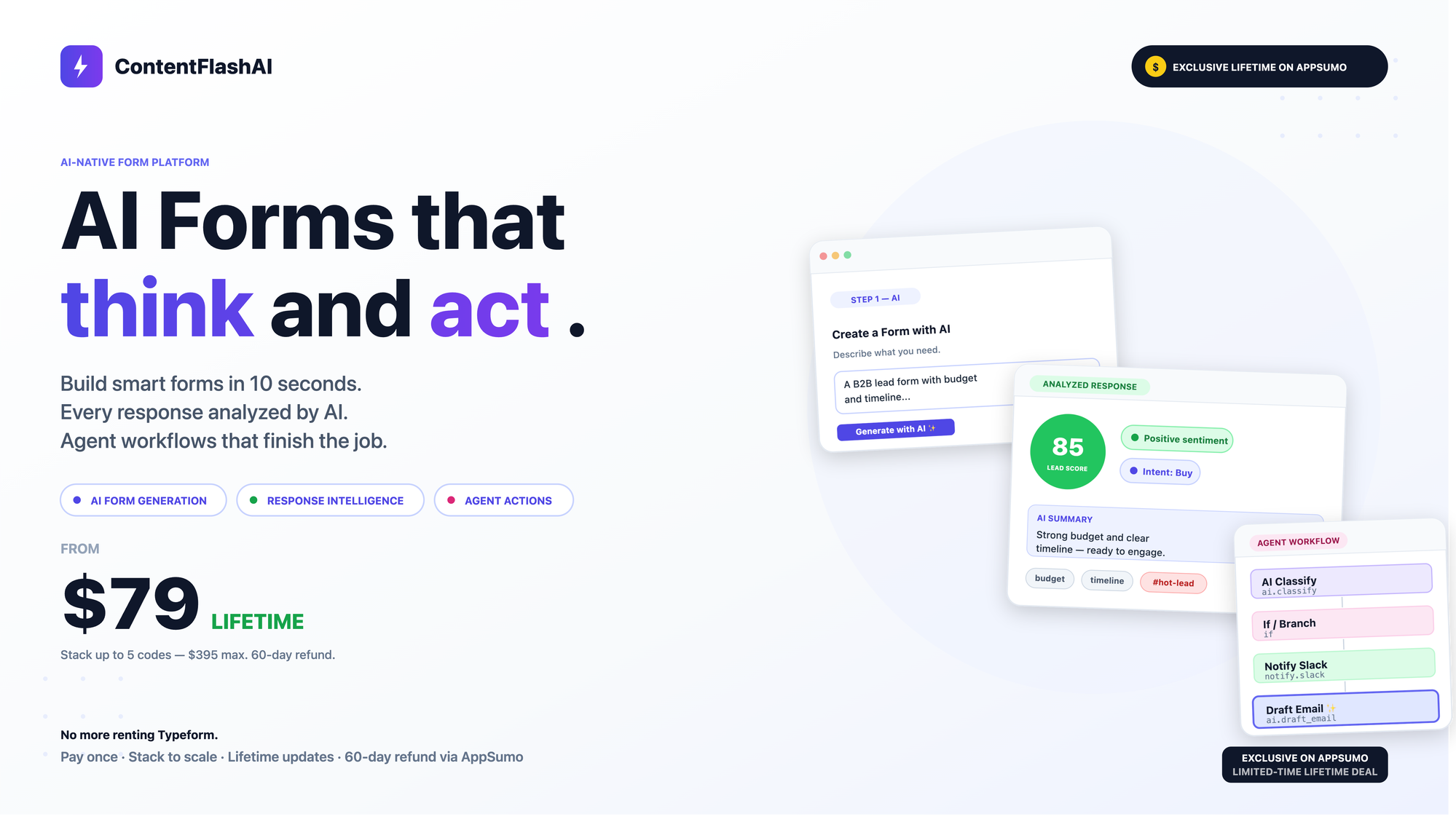
Content Flash AI is an AI-powered form-to-copy tool built specifically for ecommerce sellers. Instead of prompting a blank chat interface, you fill out structured forms with product details, target audience, and tone preferences. The AI then generates marketing copy, product descriptions, and customer communication templates based on those inputs.
Unlike general AI writing tools, it comes with templates pre-built for Amazon listings, Shopify product pages, and email sequences. The workflow is designed for speed rather than creative exploration. You input specifics, you get usable copy, you move on.
The core differentiator is the form-based approach. You are not crafting prompts from scratch. The tool guides you through the information it needs to generate relevant output, which reduces the trial-and-error cycle that makes most AI copywriting tools frustrating in practice.
Use Case Testing: Three Real Scenarios
Scenario 1: Bulk Amazon Product Listings
The test involved 15 home decor items. I input product dimensions, materials, target audience (budget-conscious homeowners), and desired keyword phrases into the product description form. I selected the Amazon listing template and ran the batch.
Output arrived in under 90 seconds for all 15 items. The descriptions were structurally sound with proper Amazon formatting. However, three items included dimensions that did not match my input. The tool rounded measurements inconsistently, which would require manual correction before publishing.
Verdict: PARTIAL — Bulk generation works, but output requires QA review. Do not publish directly without checking numbers.
Scenario 2: Shopify Collection Descriptions
I tested the collection description template using a fictional outdoor furniture category. I provided category-level details, brand voice guidelines, and customer pain points. The generated copy came back in two versions: a short 80-word version for storefront headers and a longer 250-word version for category pages.
The tone matched the formal yet approachable brand voice I specified. The copy flowed naturally and required only minor edits for personalization. One version included a vague call-to-action that read like generic filler, but the structural framework was solid.
Verdict: YES — nailed it — This use case plays directly to the tool's strengths. Collection-level content does not require perfect specificity, and the template generated usable first drafts faster than manual writing.
Scenario 3: Customer Service Email Templates
I attempted to generate refund request and shipping delay response templates using the customer communications form. I specified a polite but firm tone and included placeholder variables for order numbers and product names.
The output included the placeholders correctly, but the tone skewed too casual for the brand I was simulating. The refund template used phrasing that could encourage refund requests rather than discourage them. Adjusting the tone input and regenerating did not fully resolve the issue.
Verdict: NO — failed — Customer-facing templates require more nuance than this tool currently provides. For transactional communications where brand voice matters, you will need significant editing or a different solution.
Across all three scenarios, I noticed that output quality dropped when specificity mattered most. Product descriptions with exact specifications and customer emails with precise tone requirements both required manual intervention. The tool excels when the content is slightly generic by nature, like category pages or introductory copy.
If you are evaluating AI copywriting tools for your ecommerce stack, you might also want to compare how side-by-side AI comparison tools handle copywriting tasks, since some platforms let you test multiple models on the same input to find the best output for your niche.
Pricing Breakdown
Content Flash AI offers three tiers designed for different seller volumes. Here is what each plan includes:
| Plan | Price | Content Generations | Team Seats | Free Trial |
|---|---|---|---|---|
| Starter | $29/month | 200/month | 1 | 7 days |
| Growth | $79/month | 1,000/month | 3 | 7 days |
| Scale | $199/month | 5,000/month | 10 | 14 days |
Based on my testing, the Growth plan at $79/month is the realistic starting point for most active sellers. The Starter plan runs out quickly if you are managing more than 50 live SKUs with regular updates. If you are running a full Amazon and Shopify operation with new product launches every week, the Scale plan pays for itself compared to hiring freelance copywriters at $25-50 per listing.
The free trial is useful for testing the interface, but you will not get a meaningful sense of output quality without running 30-50 generations across different use cases. Plan to use the trial strategically on your most demanding content type.
Strengths and Limitations
| Strengths | Limitations |
|---|---|
| Fast bulk generation: 15 product descriptions in under 90 seconds | Output accuracy issues: Dimensions rounded inconsistently, requiring manual QA |
| Pre-built ecommerce templates: Amazon, Shopify, and email sequences ready out of the box | Tone control weaknesses: Customer service templates skewed casual and inappropriate for transactional communications |
| Form-based workflow: Reduces prompt engineering time compared to blank chat interfaces | Specificity handling: Quality drops when exact specifications or precise brand voice matters |
| Collection descriptions effective: Generated usable first drafts faster than manual writing | No native integrations: Content must be copied and pasted manually to ecommerce platforms |
| Competitive pricing: Growth plan at $79/month undercut equivalent features from enterprise AI tools | Limited creative flexibility: Template structure can feel restrictive for non-standard use cases |
How Content Flash AI Compares to Competitors
| Feature | Content Flash AI | Copy.ai | Jasper AI |
|---|---|---|---|
| Ecommerce-specific templates | Yes, built-in for Amazon, Shopify, emails | General purpose, requires custom workflows | Has ecommerce templates but fewer options |
| Bulk content generation | Yes, batch processing supported | Limited batch capabilities | Supports bulk but at higher price point |
| Pricing (mid-tier) | $79/month for 1,000 generations | $49/month (Pro plan, usage-based) | $99/month (Pro plan) |
| Tone and voice controls | Basic input fields, inconsistent output | Brand voice training available | Advanced voice matching capabilities |
| Quality for collection descriptions | Strong, minimal editing needed | Good but requires more refinement | Good but expensive for this use case |
| Customer service templates | Weak, tone often inappropriate | Moderate quality, better tone control | Strong, better for transactional emails |
| Free trial | 7-14 days depending on plan | 7 days | 7 days |
Frequently Asked Questions
How long does it take to see results from Content Flash AI?
Most users generate their first batch of content within 5-10 minutes of signing up. However, meaningful quality assessment requires 30-50 generations across different use cases, which typically takes 1-2 weeks of regular testing during the free trial period.
Does Content Flash AI integrate with Shopify or Amazon directly?
Content Flash AI does not offer native integrations with ecommerce platforms at this time. All content is generated within the tool and must be copied and pasted manually into your Shopify store, Amazon Seller Central, or other marketplace listings.
Can I use Content Flash AI for languages other than English?
The tool claims to support multiple languages, but output quality varies significantly. English produces the most polished and consistent results. For other languages, expect to do more editing and manual review before publishing.
What happens if I exceed my monthly generation limit?
Each plan has a fixed monthly generation limit. When you reach your limit, generation pauses until the next billing cycle or you upgrade to a higher tier. There are no per-generation overage charges, but the tool does not offer pay-as-you-go options beyond the fixed monthly plans.
Verdict
Content Flash AI fills a specific niche for ecommerce sellers who need volume copywriting at a reasonable price point. The tool works best when you treat the output as a starting point rather than finished copy. Collection descriptions and bulk product listings for marketplaces benefit most from the form-based workflow, while customer communications and highly specific product details require significant editing or a different solution entirely.
If your operation runs on volume and you have the capacity to QA the output before publishing, Content Flash AI delivers reasonable value at the Growth plan price. If you need AI-generated text that requires minimal revision or advanced brand voice control, the limitations will frustrate your workflow more than the price saves.
3.2 out of 5 stars
Ready to Try Content Flash AI?
You've seen the full picture. Now test it yourself — visit the official site to get started.
Visit Content Flash AI →