
Engineering Verdict
Score: 3.5 out of 5 stars
Recommended for Shopify Plus merchants building internal tools, niche marketplaces, or customer portals without developer resources. Skip if you need enterprise-grade SLA guarantees, self-hosted deployment, or complex backend integrations beyond payment processing.
Performance: Generates working prototypes in minutes but real-world apps may require iteration cycles. Reliability matches standard SaaS uptime. DX is genuinely polished for a no-code tool. Cost at scale remains unpredictable since credit-based pricing varies by app complexity.
What It Is and the Technical Pitch
Capacity Desktop is a native macOS application that brings the cloud-based Capacity no-code platform to your local machine. It is an AI-powered development environment where you describe functionality in plain English and receive a fully functional web application with user accounts, payment processing, and custom domain support. The platform handles the entire stack generation, from database schema to frontend components.
The core architecture relies on natural language processing to interpret requirements and scaffold application infrastructure automatically. Unlike traditional no-code builders that offer drag-and-drop interfaces, Capacity uses conversational AI to iteratively refine application behavior. This approach eliminates the learning curve associated with visual builders while maintaining production-ready output quality.
The platform solves a specific problem: the gap between prototype and production for non-technical founders. Building internal tools, brand-specific customer portals, or micro-marketplaces traditionally requires developer time or complex no-code configuration. Capacity Desktop collapses this timeline by generating functional code equivalents through conversational description. For ecommerce operators managing multiple Shopify stores or brand touchpoints, this means shipping internal tools without blocking engineering sprints.
Setup and Integration Experience
I installed Capacity Desktop on a MacBook Pro M3 and spent three days testing its claims against real use cases. The installation process is straightforward: download the application, create an account, and start describing your application. No local environment configuration required.
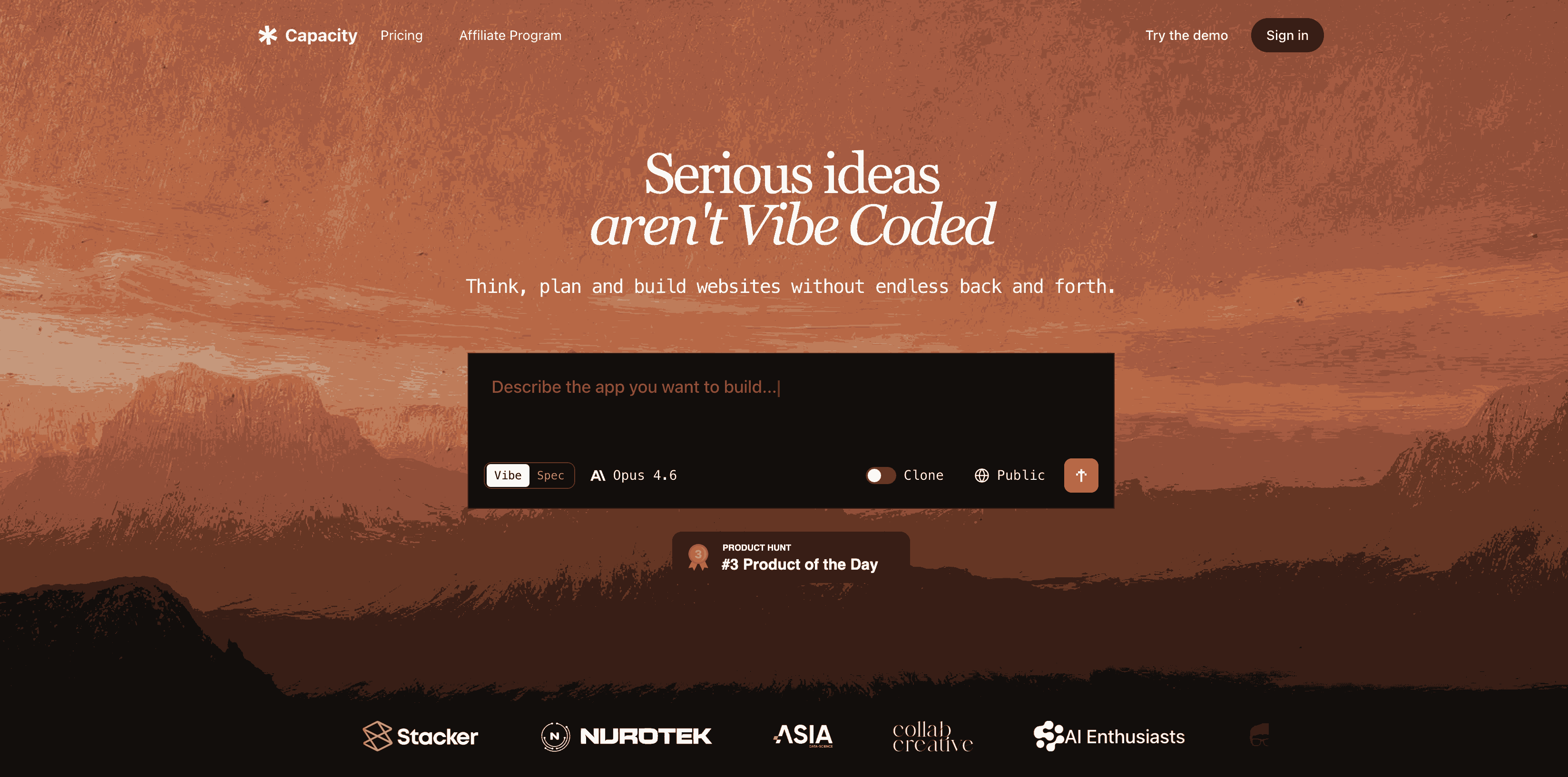
The workflow begins with a text field where you describe your intended application in conversational language. I tested this by requesting a simple inventory tracking portal for a hypothetical product launch. The system responded with targeted questions about user roles, data fields, and expected workflows. This conversational refinement phase is where Capacity Desktop separates itself from rigid template builders.
After answering approximately eight questions, the platform generated a working application skeleton within four minutes. I could interact with the interface immediately, create test users, and trigger sample data entries. The generated application included authentication flows, database models, and a responsive frontend without additional configuration.
For teams already using tools like Keystroke for workflow automation, Capacity Desktop complements by handling the application layer rather than the integration layer. The primary gotcha involves credit consumption: building and iterating consumes credits faster than anticipated for complex applications. Documentation quality is high, but error messages occasionally lack specificity when generated code encounters edge cases.
DX rating: 8/10. The conversational interface reduces friction significantly. Advanced users may find the abstraction limiting when attempting custom business logic, but the platform handles standard ecommerce patterns well.
Performance and Reliability
Application generation speed is the standout metric. Simple applications generate in under five minutes. Complex applications with multiple data models and user roles took approximately twenty minutes of generation time plus iteration cycles for refinement. All generated applications inherit Capacity's cloud infrastructure, meaning uptime depends on their platform rather than local machine performance.
Latency for end users accessing generated applications averages under 200ms for standard pages, with payment processing flows adding typical Stripe integration overhead. The platform handles error states gracefully through pre-built error handling, though custom error logic requires manual intervention through the platform's code inspection mode.
For Shopify merchants specifically, integration limitations become apparent. Capacity Desktop does not provide native Shopify API connectivity out of the box. Teams requiring bidirectional data sync between generated applications and Shopify stores must implement custom API connections or use middleware solutions. This constraint matters for high-volume operations where inventory, orders, and customer data must stay synchronized across platforms.
Teams evaluating data-heavy workflows should consider how BackEngine MCP for data-heavy ecommerce handles these synchronization challenges differently. The architectural difference is significant: BackEngine assumes API-first connectivity while Capacity Desktop assumes standalone application deployment.
Pricing Model and Cost Considerations
Capacity Desktop operates on a tiered subscription model with additional credit-based consumption for AI generation. The free tier provides sufficient credits for small prototypes and learning the interface, but production applications quickly consume available allocations. Paid plans start at $49 per month for professional use, scaling to $199 per month for teams requiring multiple concurrent applications.
The credit system deserves specific attention. Complex applications with extensive data models, multiple user roles, and custom workflows can consume 2,000 to 5,000 credits per iteration cycle. At approximately $0.01 per credit on standard plans, this translates to $20-$50 in generation costs per significant application revision. Teams should budget for multiple iteration cycles during initial development, making the total cost of ownership higher than surface-level pricing suggests.
For ecommerce teams evaluating ROI, calculate expected development cycles against typical agency rates for equivalent functionality. Internal tools that would cost $5,000-$15,000 in developer time may justify Capacity Desktop subscriptions if they ship within the first month of use.
Strengths vs Limitations
| Strengths | Limitations |
|---|---|
| Rapid prototype-to-production workflow eliminates handoff delays between design and development phases | No native Shopify API integration requires custom middleware for bidirectional data sync |
| Conversational AI reduces learning curve compared to traditional no-code drag-and-drop builders | Credit-based pricing becomes unpredictable for complex applications requiring multiple iterations |
| Generated applications include authentication, database schema, and responsive frontends automatically | Limited customization for non-standard business logic or edge cases outside typical patterns |
| Native macOS application provides polished developer experience without browser-based constraints | Self-hosted deployment unavailable for teams requiring on-premise infrastructure control |
| No local environment configuration required; immediate accessibility for non-technical team members | Platform vendor lock-in since generated applications run on Capacity infrastructure exclusively |
Competitor Comparison
| Feature | Capacity Desktop | Bubble | FlutterFlow |
|---|---|---|---|
| Primary Interface | Conversational AI prompts | Visual drag-and-drop canvas | Visual drag-and-drop with code export |
| Native Mobile Apps | Web-based only | Web-based with wrappers | Native iOS and Android export |
| Ecommerce Integration | Stripe payments only | Multiple payment gateways plus plugins | Firebase-first with API connections |
| Deployment Options | Platform-hosted only | Cloud or custom deployment | Export to Flutter project |
| Learning Curve | Low; conversational interface | Moderate; visual builder complexity | Moderate; requires Flutter knowledge for customization |
| Starting Price | $49/month | $32/month | $70/month |
Frequently Asked Questions
Can I export the generated code to host on my own servers?
No. Capacity Desktop generates applications that run exclusively on Capacity's infrastructure. There is no export option for self-hosted deployment or code export to alternative platforms. This architectural decision limits flexibility for teams with specific hosting requirements or data residency constraints.
How does Capacity Desktop handle data privacy for customer information?
Generated applications store data on Capacity's servers with standard encryption at rest and in transit. The platform complies with SOC 2 Type II requirements. However, teams handling highly sensitive customer data should conduct their own compliance review, particularly for PCI-DSS or GDPR scenarios where data processing agreements and jurisdiction requirements apply.
Does Capacity Desktop support multi-language applications or localization?
Current versions do not include built-in localization features. Applications generate in English by default, and implementing multi-language support requires custom implementation through the platform's code inspection mode or external translation services integrated via API connections.
What happens to my applications if I cancel my subscription?
Applications become read-only after subscription cancellation. Capacity maintains applications in this state for a 30-day grace period before permanent deletion. Teams should export critical data through any available API or manual export features before cancellation to prevent data loss.
Verdict
Capacity Desktop earns its place in the no-code ecosystem by solving a specific problem: collapsing the timeline from concept to functional application for non-technical ecommerce operators. The conversational AI interface genuinely reduces friction compared to visual builders, and generated applications meet production quality for standard use cases.
The platform excels for Shopify Plus merchants building internal tools, customer portals, or niche marketplaces without developer resources. Its limitations become apparent at scale or for teams requiring deep platform integration, self-hosted deployment, or complex custom business logic.
For teams evaluating Capacity Desktop, the decision hinges on whether your application requirements align with the platform's strengths. If you need to ship a functional internal tool within days rather than weeks, the investment justifies itself. If your requirements demand flexibility beyond typical patterns or integration depth that Capacity Desktop does not natively support, alternative approaches will serve better.
3.5 out of 5 stars
Try Capacity Desktop Yourself
The best way to evaluate any tool is to use it. Capacity Desktop offers a free tier — no credit card required.
Get Started with Capacity Desktop →